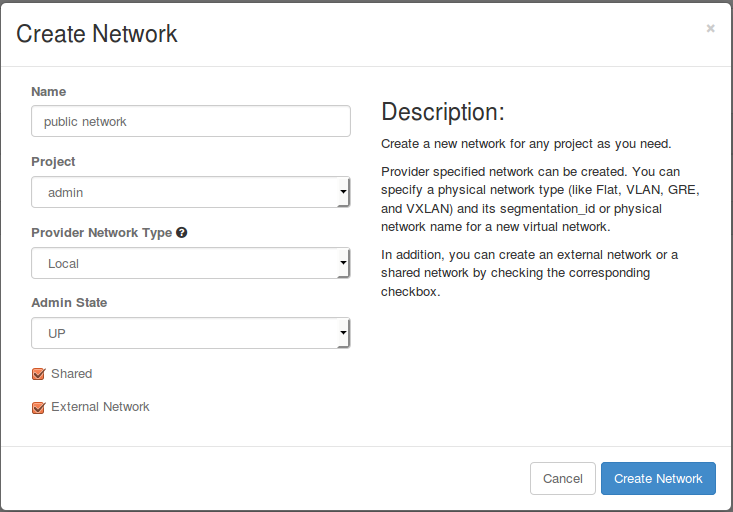
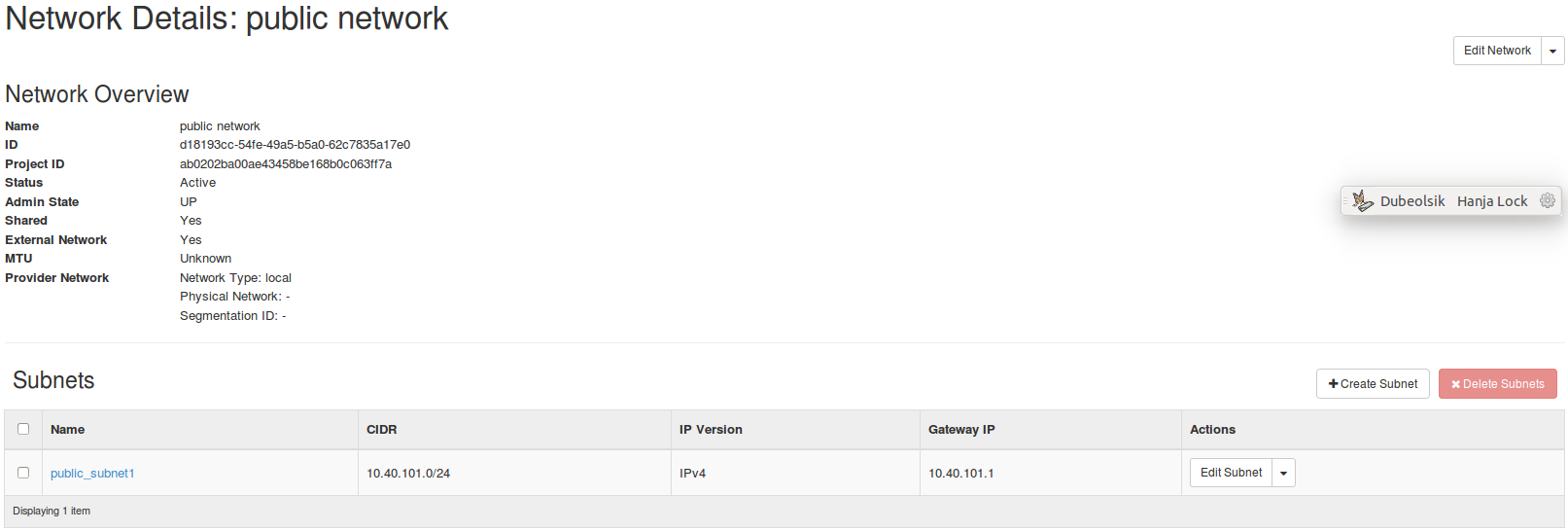
Then, you can see that a network is added from the network list.

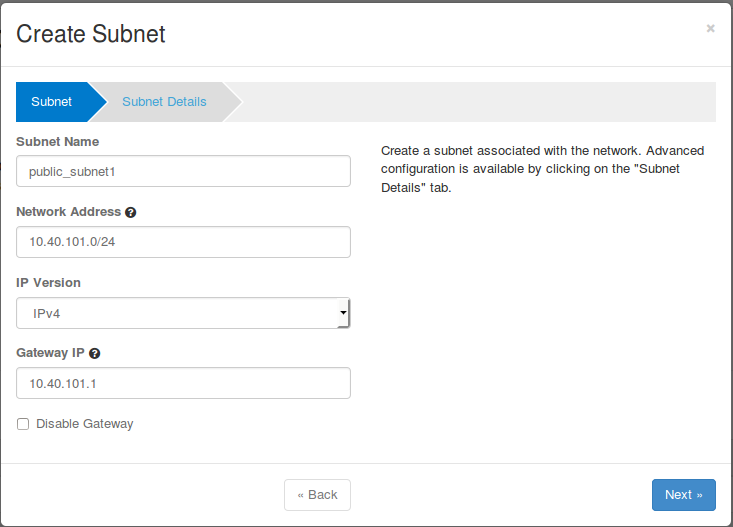
We can see that the subnet for the external network is created as below.
Project > Network > Routers > Create Router
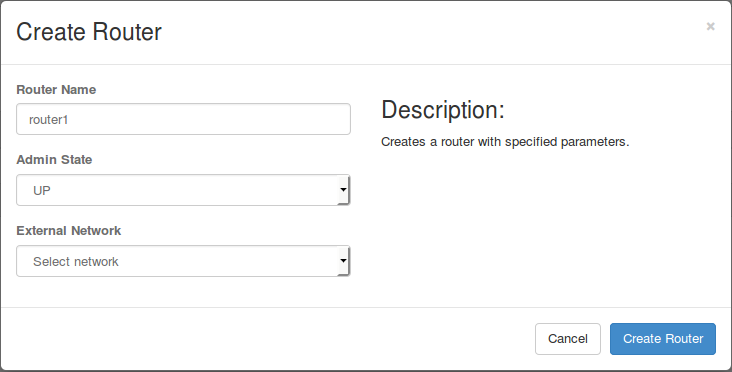
Then, the router is created as below.

Set the gateway of the router using the external network by clicking the "Set Gateway" button in the router list.
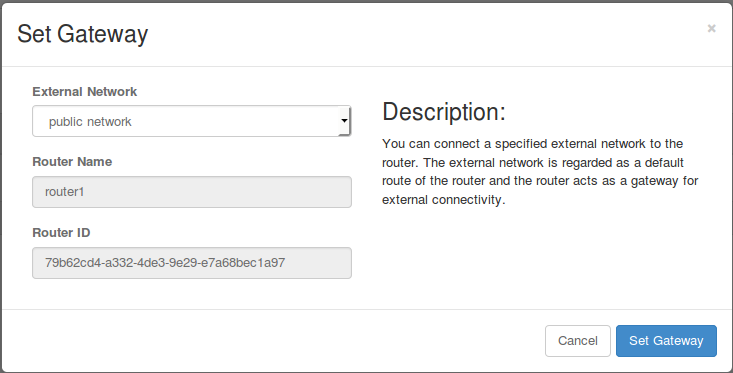
Then, the router information is changed as below.

Click the router name in the router list above to see the router detail.

Click the "Add Interface" button in the "Interfaces" tab above.
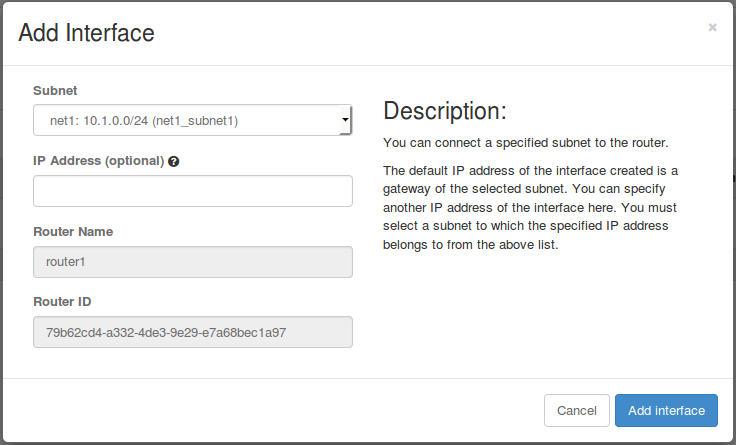
Choose the subnet for the VMs as the Subnet click "Add Interface".
If you did not create the subnet for the VMs, please create one following the Simple Walk-through wiki page.
Done!!
Now, you can ping to VMs from network node.
Now you can see that two new ports are created in the network node.
$ sudo ovs-vsctl show
5c56a00e-8820-4347-9100-e5825da49407
    Manager "ptcp:6640"
    Bridge br-int
        Controller "tcp:10.40.101.155:6653"
            is_connected: true
        Controller "tcp:10.40.101.153:6653"
            is_connected: true
        Controller "tcp:10.40.101.152:6653"
            is_connected: true
        fail_mode: secure
        Port vxlan
            Interface vxlan
                type: vxlan
                options: {key=flow, remote_ip=flow}
        Port "qr-12ab8d3d-66"
            Interface "qr-12ab8d3d-66"
                type: internal
        Port br-int
            Interface br-int
    Bridge br-ex
        Port br-ex
            Interface br-ex
                type: internal
        Port "qg-ea233534-7b"
            Interface "qg-ea233534-7b"
type: internal |
The port "qr-xxx" is a port for router to VMs and the port "qg-xxx" is a port for gateway to external: you can see that "qr-xxx" port is created in the br-int bridge, and the "qg-xxx" port is created in the br-ex bridge.
Also, you can see that a network namespace is created for the router. We use the network namespace to access the router.
$ sudo ip netns qrouter-79b62cd4-a332-4de3-9e29-e7a68bec1a97 |
Now we can ping to all VMs using the network namespace.
$ sudo ip netns exec qrouter-79b62cd4-a332-4de3-9e29-e7a68bec1a97 ping 10.1.0.16 PING 10.1.0.16 (10.1.0.16) 56(84) bytes of data. 64 bytes from 10.1.0.16: icmp_seq=1 ttl=64 time=1.81 ms 64 bytes from 10.1.0.16: icmp_seq=2 ttl=64 time=0.731 ms 64 bytes from 10.1.0.16: icmp_seq=3 ttl=64 time=0.746 ms |