Create a key to use to SSH to VMs: Compute > Access & Security > Key Pairs > Create Key Pair > "Create Key Pair" button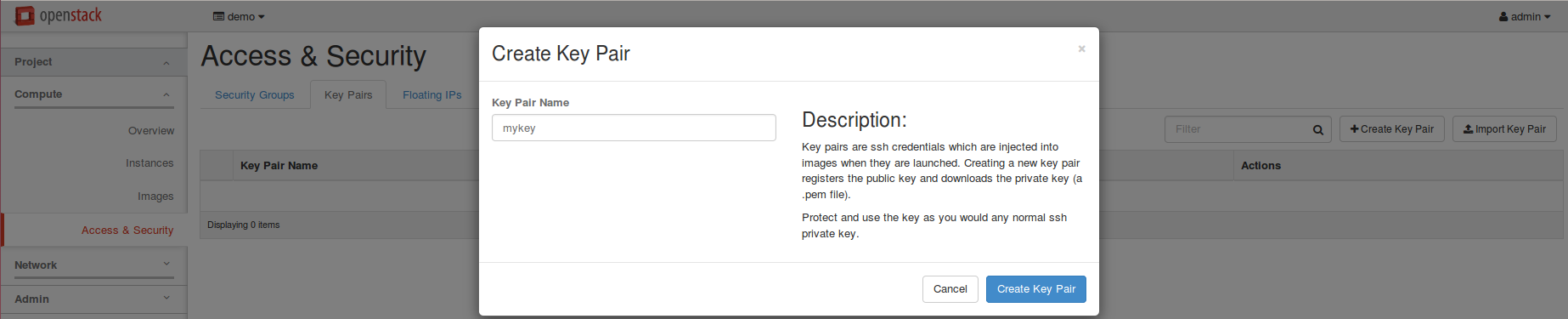
Then, download your private key.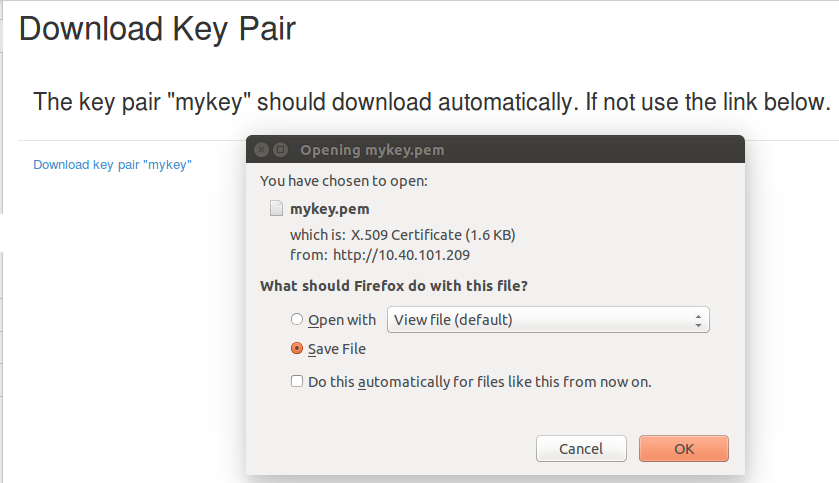
If you want to ssh to your VMs using namespace, please create your public key as follows and import the key pair in openstack.
You can import the public key in /root/.ssh/id_rsa.pub in openstack. |
After you created a key pair, the key pair is automatically added when you create VMs as below.
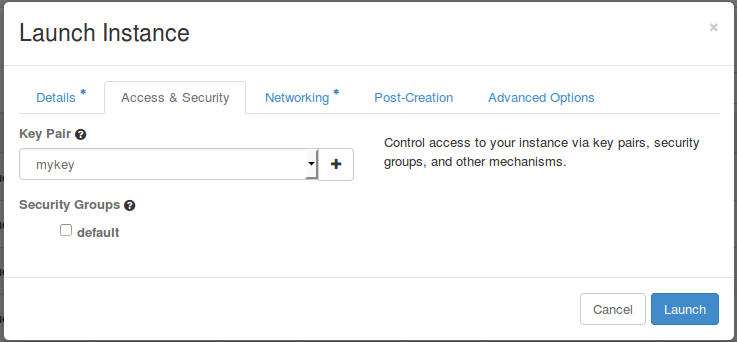
Now you can login to your VMs using the key via namespace
$ sudo ip netns exec qrouter-5ec1a62d-95c4-48fd-a4b8-0b9f9e2f0437 ssh -i your_key_file cirros@10.1.0.24 |
qrouter-5ec1a62d-95c4-48fd-a4b8-0b9f9e2f0437 is the namespace, and you can check it using "sudo ip netns" command.
If you registered the key created under the namespace as in the example above, you can login without specifying the key, as below.
$ sudo ip netns exec qrouter-5ec1a62d-95c4-48fd-a4b8-0b9f9e2f0437 ssh cirros@10.1.0.24 |
Using ssh you can give a command to the VM without logging in to the VMs. The following is an example to ping from a VM to another VM using SSH at the network node.
|