Due to a ransomware attack, the wiki was reverted to a July 2022 version. . We apologize for the lack of a more recent valid backup.
| Warning | ||
|---|---|---|
| ||
This page is obsolete and will be removed soon, please see https://wiki.opencord.org/display/CORD/VTN+Developer+Information instead. |
You will need
| Note |
|---|
This page explains how to set up and use the CORD-VTN service manually. It is possible to test CORD-VTN without XOS, but it is recommended to set up CORD-VTN with XOS. This link https://github.com/open-cloud/xos/blob/master/xos/configurations/cord-pod/README.md would be helpful if you're going to build whole CORD test environment. |
You will need:
- An ONOS cluster installed and running (see ONOS documentation to get to this point)running
- An OpenStack OpenStack service installed and running (detailed OpenStack configurations are described "stable/mitaka" version is used here)
- An XOS installed and running (optional if you need to test CORD VTN functionalities only, not the other CORD services)
| Note |
|---|
Note that official CORD reference implementation deploys all controller services including ONOS, OpenStack and XOS run on the one single "head node" but this page deploys the controller services in separate nodes. |
...
Architecture
The high level architecture of the system is shown in the following figure.
...
- Bootstraps OVS and "br-int" interface in a compute node to be controlled by ONOS and CORD-VTN properly
- Provides a basic connectivity among all VMs in the same service(i.e. same Neutron network).
- Provides an external connectivity to a VM with public type of service network.
- Provides a local management connectivity, which is a limited connection between a VM and compute node.
- Provides a service dependency between two services. It guarantees forwarding all traffics from 'service A', which is tenant service, to one of the VM of 'service B', which is provider service.
- Provides WAN and LAN connectivities for vSG container.
- Provides APR ARP and DHCP proxy for the virtual networks.
...
Let's install networking-onos (Neutron ML2 plugin for ONOS) first.
| Code Block | ||
|---|---|---|
| ||
$ gitmkdir clone-p https:/opt/stack && cd /opt/stack $ git clone https://github.com/openstack/networking-onos.git $ cd networking-onos $ sudo python setup.py install |
...
Specify ONOS access information. You may want to copy the config file to /etc/neutron/plugins/ml2/ where the other Neutron configuration files are.
| Code Block | ||||
|---|---|---|---|---|
| ||||
# Configuration options for ONOS ML2 Mechanism driver [onos] # (StrOpt) ONOS ReST interface URL. This is a mandatory field. url_path = http://onos.instance.ip.addr:8181/onos/cordvtn # (StrOpt) Username for authentication. This is a mandatory field. username = onos # (StrOpt) Password for authentication. This is a mandatory field. password = rocks |
...
For DevStack users, use this sample DevStack local.conf to build OpenStack controller node. Make sure your DevStack branch is consistent with the OpenStack branches, "stable/mitaka" in this example.
| Code Block | ||
|---|---|---|
| ||
[[local|localrc]] HOST_IP=10.134.231.28 SERVICE_HOST=10.134.231.28 RABBIT_HOST=10.134.231.28 DATABASE_HOST=10.134.231.28 Q_HOST=10.134.231.28 ADMIN_PASSWORD=nova DATABASE_PASSWORD=$ADMIN_PASSWORD RABBIT_PASSWORD=$ADMIN_PASSWORD SERVICE_PASSWORD=$ADMIN_PASSWORD SERVICE_TOKEN=$ADMIN_PASSWORD DATABASE_TYPE=mysql # Log SCREEN_LOGDIR=/opt/stack/logs/screen # Images IMAGE_URLS="http://cloud-images.ubuntu.com/releases/precise14.04/release/ubuntu-1214.04-server-cloudimg-amd64.tar.gz" FORCE_CONFIG_DRIVE=always NEUTRON_CREATE_INITIAL_NETWORKS=False ,http://www.planet-lab.org/cord/trusty-server-multi-nic.img" FORCE_CONFIG_DRIVE=True # Networks Q_ML2_TENANT_NETWORK_TYPE=vxlan Q_ML2_PLUGIN_MECHANISM_DRIVERS=onos_ml2 Q_PLUGIN_EXTRA_CONF_PATH=/opt/stack/networking-onos/etc Q_PLUGIN_EXTRA_CONF_FILES=(conf_onos.ini) NEUTRON_CREATE_INITIAL_NETWORKS=False # Services enable_service q-svc disable_service n-net disable_service n-cpu disable_service tempest disable_service c-sch disable_service c-api disable_service c-vol # Branches GLANCE_BRANCH=stable/mitaka HORIZON_BRANCH=stable/mitaka KEYSTONE_BRANCH=stable/mitaka NEUTRON_BRANCH=stable/mitaka NOVA_BRANCH=stable/mitaka |
If you use other deploy tools or build the controller node manually, please set the following configurations to Nova and Neutron configuration files.
...
| Code Block | ||||
|---|---|---|---|---|
| ||||
core_plugin = neutron.plugins.ml2.plugin.Ml2Plugin dhcp_agent_notification = falseFalse |
| Code Block | ||
|---|---|---|
| ||
[ml2] tenant_network_types = vxlan type_drivers = vxlan mechanism_drivers = onos_ml2 [securitygroup] enable_security_group = True |
...
| Code Block | ||
|---|---|---|
| ||
[DEFAULT] force_config_drive = alwaysTrue network_api_class = nova.network.neutronv2.api.API security_group_api = neutron [neutron] url = http://[controller_ip]:9696 auth_strategy = keystone admin_auth_url = http://[controller_ip]:35357/v2.0 admin_tenant_name = service admin_username = neutron admin_password = [admin passwd] |
...
| Code Block | ||
|---|---|---|
| ||
[[local|localrc]] HOST_IP=10.134.231.30 <-- local IP SERVICE_HOST=162.243.x.x <-- controller IP, must be reachable from your test browser for console access from Horizon RABBIT_HOST=10.134.231.28 DATABASE_HOST=10.134.231.28 ADMIN_PASSWORD=nova DATABASE_PASSWORD=$ADMIN_PASSWORD RABBIT_PASSWORD=$ADMIN_PASSWORD SERVICE_PASSWORD=$ADMIN_PASSWORD SERVICE_TOKEN=$ADMIN_PASSWORD DATABASE_TYPE=mysql NOVA_VNC_ENABLED=True VNCSERVER_PROXYCLIENT_ADDRESS=$HOST_IP VNCSERVER_LISTEN=$HOST_IP LIBVIRT_TYPE=kvm # Log SCREEN_LOGDIR=/opt/stack/logs/screen # ImagesServices IMAGEENABLED_URLS="http://cloud-images.ubuntu.com/releases/precise/release/ubuntu-12.04-server-cloudimg-amd64.tar.gz" LIBVIRT_TYPE=kvm # Services ENABLED_SERVICES=n-cpu,neutronSERVICES=n-cpu,neutron # Branches NOVA_BRANCH=stable/mitaka KEYSTONE_BRANCH=stable/mitaka NEUTRON_BRANCH=stable/mitaka |
| Note |
|---|
If your compute node is a VM, try http://docs.openstack.org/developer/devstack/guides/devstack-with-nested-kvm.html this first or set |
...
Additional compute node setup
1. Set OVSDB listening Make sure your OVS version is 2.3.0 or later.
2. Set OVSDB listening mode in your compute nodes. There are two ways.
| Code Block |
|---|
$ ovs-appctl -t ovsdb-server ovsdb-server/add-remote ptcp:6640:host_ip |
...
| Code Block |
|---|
$ sudo ovs-vsctl show
cedbbc0a-f9a4-4d30-a3ff-ef9afa813efb
ovs_version: "2.3.0" |
3. Make sure that ONOS user(sdn by default) can Should be able to SSH from ONOS instance to compute nodes with key.
...
| Code Block | ||
|---|---|---|
| ||
{
    "apps" : {
        "org.onosproject.cordvtn" : {
            "cordvtn" : {
                "privateGatewayMac" : "00:00:00:00:00:01",
                "publicGateways" : [
                    {
                        "gatewayIp" : "20710.141.192.158",
                        "gatewayMac" : "a4:23:05:34:56:78"
                    }
                ],
                "localManagementIp" : "172.27.0.1/24",
                "ovsdbPort" : "6640",
                "ssh" : {
                    "sshPort" : "22",
                    "sshUser" : "hyunsunroot",
                    "sshKeyFile" : "~/.ssh/id_rsa"
                },
                "openstack" : {
                    "endpoint" : "http://10.243.139.46:5000/v2.0/",
                    "tenant" : "admin",
                    "user" : "admin",
                    "password" : "nova"
                },
                "nodesxos" : [{
                    {
"endpoint"    : "http://10.55.30.16:80",
                    "hostnameuser" : "compute-01padmin@vicci.org",
                        "hostManagementIppassword" : "10.55.25.244/24",letmein"
                },
         "dataPlaneIp"  : "10.134.34.222/16",
    "nodes" : [
                  "dataPlaneIntf" : "veth1",{
                        "bridgeIdhostname" : "of:0000000000000001"
compute-01",
                        "hostManagementIp"  },
: "10.55.25.244/24",
                        "dataPlaneIp"  {: "10.134.34.222/16",
                        "hostnamedataPlaneIntf" : "compute-02veth0",
                        "hostManagementIpbridgeId" : "10.241.229.42/24",
of:0000000000000001"
                     },
                   "dataPlaneIp" : "10.134.34.223/16", {
                        "dataPlaneIntfhostname" : "veth1compute-02",
                        "bridgeIdhostManagementIp" : "of:0000000000000002"10.241.229.42/24",
                     }
   "dataPlaneIp" : "10.134.34.223/16",
           ]
            }
 "dataPlaneIntf"   : "veth0",
                        "bridgeId" : "of:0000000000000002"
                     }
                ]
            }
} |
        }
    }
} |
Set your ONOS to activate the following applications.
...
You can skip this part if you want to test CORD VTN features only and manually by creating network and VM via OpenStack CLI or dashboard. Make sure your OpenStack has "trusty-server-multi-nic" image(http://www.planet-lab.org/cord/trusty-server-multi-nic.img) before you start.
1. Install Docker, httpie, and OpenStack CLIs
...
3. Set correct OpenStack information to xos/xos/configurations/cord-pod/admin-openrc.sh. Note that you should set all OpenStack controller IP not hostname since inside the XOS container, the hostname is not configured.
| Code Block | ||||
|---|---|---|---|---|
| ||||
export OS_TENANT_NAME=admin export OS_USERNAME=admin export OS_PASSWORD=nova export OS_AUTH_URL=http://controller10.243.139.46:35357/v2.0 |
4. Change "onos-cord" in xos/xos/configurations/cord-pod/vtn-external.yaml to ONOS instance IP address for the same reason in step 3.
| Code Block | ||||
|---|---|---|---|---|
| ||||
    service_ONOS_VTN:
      type: tosca.nodes.ONOSService
      requirements:
      properties:
          kind: onos
          view_url: /admin/onos/onosservice/$id$/
          no_container: true
rest_hostname: 10.203.255.221 --> change this line |
...
| Code Block |
|---|
root@xos ~/xos/xos/configurations/cord-pod # make
root@xos ~/xos/xos/configurations/cord-pod # make vtn
root@xos ~/xos/xos/configurations/cord-pod # make cord |
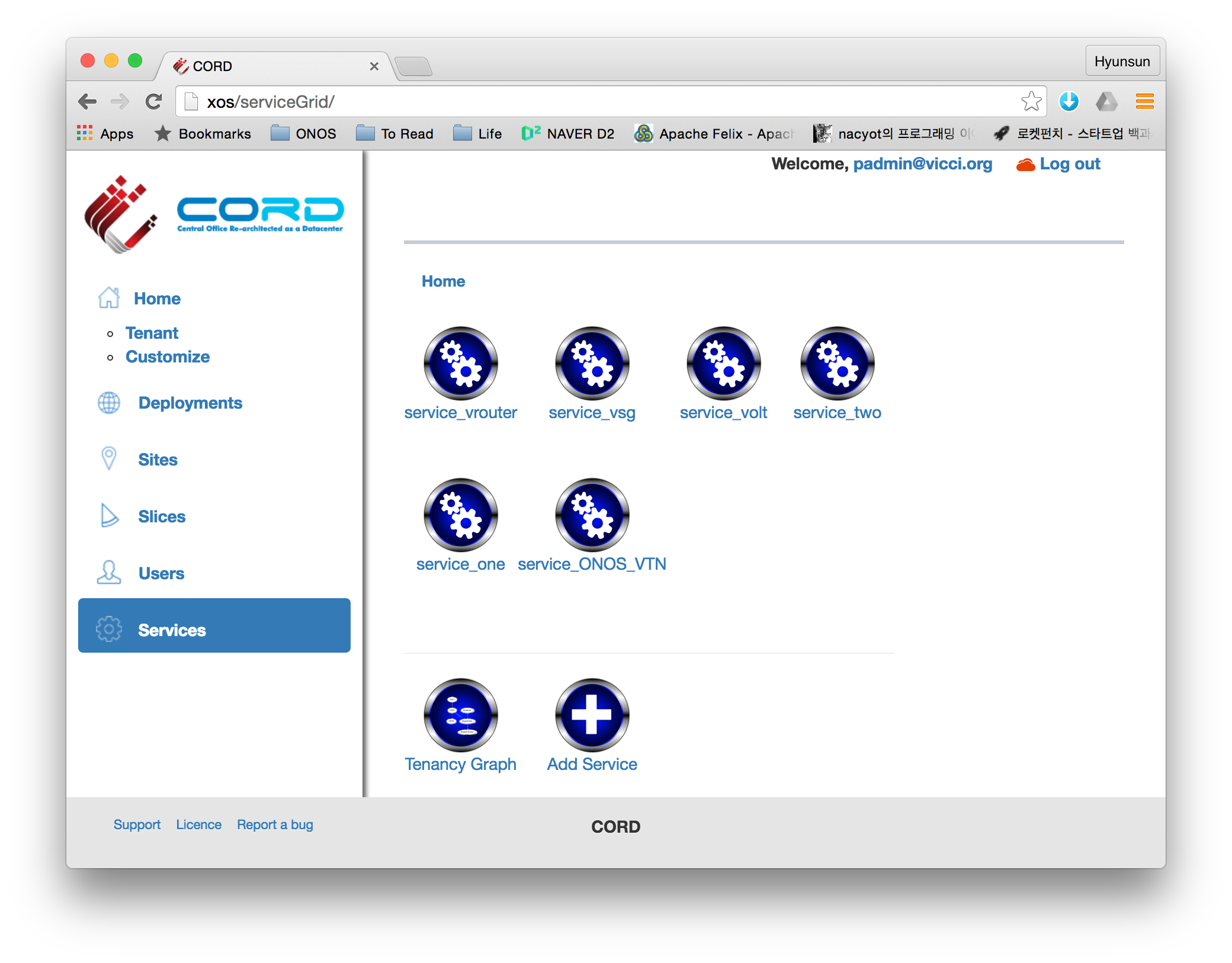
If you log-in to XOS GUI(http://xos, login with "padmin@vicci.org" and "letmein"), you can see some services.
/xos/xos/configurations/cord-pod # make vtn
root@xos ~/xos/xos/configurations/cord-pod # make cord |
If you log-in to XOS GUI(http://xos, login with "padmin@vicci.org" and "letmein"), you can see some services.
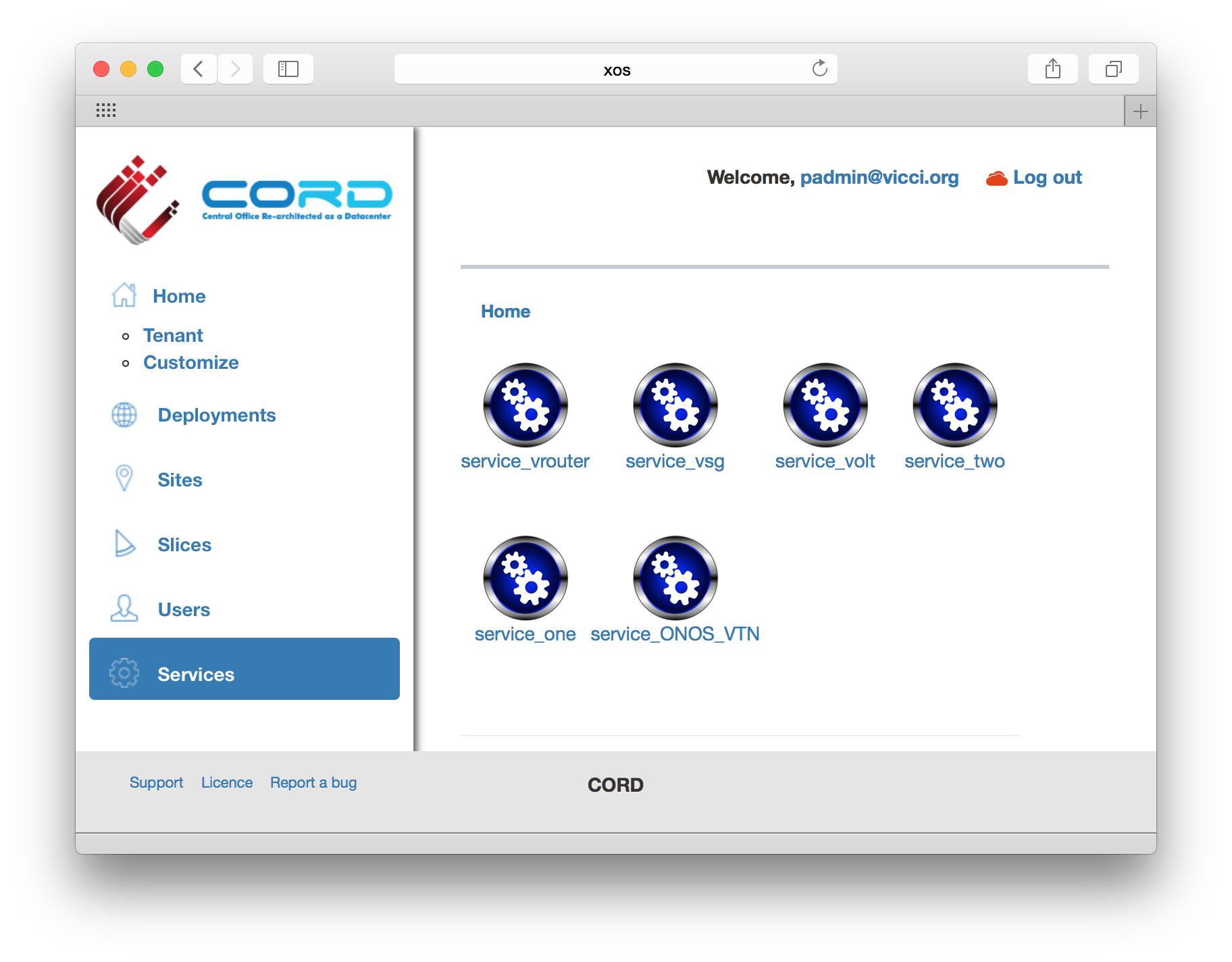
You should also be able to see new networks are created in Neutron.
| Code Block |
|---|
hyunsun@openstack-controller master ~/devstack
$ neutron net-list
+--------------------------------------+-------------------+----------------------------------------------------+
| id                                   | name              | subnets                                            |
+--------------------------------------+-------------------+----------------------------------------------------+
| 6ce70c87-7b9f-4866-9bba-2f7646781576 | mysite_vsg-access | f362b166-c382-4c5e-94c7-e5f8b4822ac3 10.0.2.0/24   |
| 9ababe18-d0b3-41a7-9f81-e56b58aa0182 | management        | 141ce1a6-6407-4385-83ec-1b490bd6be0d 172.27.0.0/24 |
+--------------------------------------+-------------------+----------------------------------------------------+ |
Internet Access from VM (only for test)
If you want to access a VM through SSH or access the Internet from VM without fabric controller and vRouter, you need to do setup the followings in your compute node. Basically, this settings mimics fabric switch and vRouter inside a compute node, that is, "fabric" bridge corresponds to fabric switch and Linux routing tables corresponds to vRouter. You'll need at least two physical interface for this test setup.
...
| Code Block |
|---|
onos> devices id=of:0000000000000001, available=true, role=MASTER, type=SWITCH, mfr=Nicira, Inc., hw=Open vSwitch, sw=2.03.2, serial=None, managementAddress=compute.01.ip.addr, protocol=OF_13, channelId=compute.01.ip.addr:39031 id=of:0000000000000002, available=true, role=STANDBY, type=SWITCH, mfr=Nicira, Inc., hw=Open vSwitch, sw=2.03.2, serial=None, managementAddress=compute.02.ip.addr, protocol=OF_13, channelId=compute.02.ip.addr:44920 |
...
| Code Block | ||
|---|---|---|
| ||
$ curl -X POST -u onos:rocks -H "Content-Type:application/json" http://[onos_ip]:8181/onos/cordvtn/service-dependency/[net-A-UUID]/[net-B-UUID]/b |
...
| Code Block |
|---|
$ curl -X DELETE -u onos:rocks -H "Content-Type:application/json" http://[onos_ip]:8181/onos/cordvtn/service-dependency/[net-A-UUID]/[net-B-UUID] |
...
| Widget Connector | ||
|---|---|---|
|
With XOS
Running the following command on XOS
...
machine will create VTN services and service dependency.
| Code Block |
|---|
root@xos master ~/xos/xos/configurations/cord-pod
# docker-compose run xos python /opt/xos/tosca/run.py padmin@vicci.org /opt/xos/tosca/samples/vtn-service-chain.yaml |
[TODO]
How To Test: Additional Features
...